

How Do I Track Job Applications? A Simple System That Holds Up at 20, 50, or 100 Applications
Once you pass 15 to 20 active applications, memory stops being a system. Deadlines slip. Follow-ups disappear. Two weeks later, you cannot tell whether low response rate comes from weak targeting, weak resume fit, or weak timing.
A job application tracker fixes that. One sheet or dashboard can show every role, every status, every follow-up date, and which applications are actually moving.
Why tracking job applications matters
Most job seekers track only counts. That misses the part that affects outcomes. You need process data: where you applied, which resume version you used, who replied, how long each stage took, and where applications stalled.
That solves four common problems fast:
- Missed deadlines: assessments, recruiter scheduling links, take-home assignments, and referral windows expire.
- Duplicate applications: easy to do when you apply across job boards, company sites, and referrals.
- Forgotten follow-ups: a five-minute reminder can recover opportunities that would otherwise go cold.
- Vague job-search anxiety: once everything is visible, the search becomes measurable.
Tracking also gives you useful feedback. If 30 applications produce 6 recruiter screens, your response rate is 20%. If one resume version gets twice the interview rate of another, that is a signal. If referrals convert at 35% and cold applications convert at 5%, that changes where your time should go.
This is the core answer to how do I track job applications: create one place where every application has a status, a date, and a next action.
What you need before you build your tracker
Keep the setup small. A bloated system dies in a week. A working one needs five things:
One place to store role and company details
Use a spreadsheet, table, or lightweight database. A job application tracker Excel file works. A job application tracker Google Sheets setup works too. Format matters less than consistency.A standard set of fields for dates and statuses
You need to know when you saved the job, applied, followed up, interviewed, and heard back.Copies of tailored application materials
Save the exact resume version and cover letter tied to each job. “Final_resume_v7” is not a system.A notes section for contacts and conversations
Store recruiter names, referral context, salary notes, and interview feedback in the same record.A reminder system
Your tracker holds the data. Your calendar makes sure you act on it. Use reminders for follow-ups, interview prep, assessments, and decision deadlines.
If you want a job application tracker free option, a spreadsheet is enough to start. Many people search for a job application tracker template because blank sheets create friction. Templates help, but the fields matter more than the format.
Step 1: Create one source of truth for every application
Use one tracker only. Not a notes app for jobs you like, email flags for interviews, a spreadsheet for applications, and memory for follow-ups. Fragmentation causes missed actions.
Start with these core columns:
| Field | Why it matters |
|---|---|
| Role Title | Helps you spot patterns by title |
| Company | Basic reference point |
| Job Link | Lets you reopen the exact posting |
| Job ID | Useful for large companies with similar roles |
| Source | Company site, referral, job board, recruiter, networking |
| Location | Helpful when tracking hybrid or remote preferences |
| Date Saved | Shows how long roles sit before action |
| Application Deadline | Prevents missed closes |
| Date Applied | Anchors follow-up timing |
| Status | Gives you a fast pipeline view |
| Resume Version | Ties response rate to specific tailoring |
| Cover Letter Version | Useful if you customize letters |
| Recruiter / Contact Name | Makes outreach faster |
| Contact Info | Email or LinkedIn URL |
| Next Action | The single most important operational field |
| Next Action Date | Tells you what needs attention this week |
| Interview Date | Keeps the timeline visible |
| Compensation Notes | Optional, but useful later |
| Notes | Referral details, interview feedback, red flags |
Two fields do most of the work: Status and Next Action Date. If those are blank, the tracker becomes an archive instead of an operating system.
For people searching how to keep track of job applications Excel, this is enough. Build the columns once. Freeze the top row. Add filters. Color-code statuses if you want faster scanning. Then stop customizing and start using it.
Step 2: Define clear status stages before you start applying
Most tracking fails because statuses are vague. “In progress” could mean anything from “bookmarked” to “waiting on final round feedback.” Define stages once so every row means the same thing.
A clean pipeline looks like this:
- Saved
- Tailoring Resume
- Applied
- Follow-Up Due
- Recruiter Screen
- Hiring Manager Interview
- Panel Interview
- Assessment / Take-Home
- Final Round
- Offer
- Rejected
- Closed / No Response
This does two things. First, it makes your tracker scannable in under 30 seconds. Second, it gives you cleaner data when you review results.
Keep the pipeline narrow. Ten to twelve statuses is plenty. More than that usually means you are building for edge cases instead of daily use.
You also need simple rules for status changes:
- Move to Applied the same day you submit.
- Move to Follow-Up Due if 7 to 10 business days pass with no response.
- Move to Closed / No Response after 21 to 30 days if there has been no activity and no realistic next step.
- Add specific interview stages once scheduling happens.
This is the practical answer to how to track job application status. Statuses should reflect real hiring steps, not your mood about the application.
Step 3: Log every application the same day you submit it
Same-day logging keeps the tracker accurate. Delayed logging creates gaps. Gaps become bad data. Bad data makes it impossible to see what is working.
At submission time, record these items immediately:
- company name
- role title
- exact job posting link
- date applied
- source of application
- deadline, if listed
- resume version submitted
- cover letter version submitted
- recruiter or referral contact
- status set to Applied
- next action and follow-up date
The resume version matters more than most people think. If you apply to 40 roles with three different resume variants, you need to know which one led to screens. Otherwise you cannot improve your hit rate.
Use file names that map cleanly to your tracker, such as:
PM_resume_b2b_growth_v3.pdfData_analyst_resume_fintech_v2.pdfMarketing_ops_coverletter_saas_v1.docx
Store those files in folders by month or function. Add the file name directly in the tracker. Future you will need it when a recruiter replies after 18 days and asks for an interview.
If you use a job application tracker Google Sheets file, add dropdowns for Status and Source. That cuts manual typing and keeps the data clean. If you prefer a job application tracker Excel sheet, use data validation for the same reason.
Step 4: Add follow-up dates and decision deadlines
Applications do not move on memory. They move on scheduled actions.
Set reminders for four categories:
Follow-ups after applying
A standard rule works: follow up 7 to 10 business days after applying if the posting is still live and you have a contact. Add the exact date when you log the application.
Assessments and take-homes
These often have 48-hour, 72-hour, or one-week deadlines. Put both the due date and a prep block on your calendar. One reminder is not enough.
Interviews
Create reminders for:
- confirmation reply
- prep session
- question research
- thank-you note within 24 hours
- any promised follow-up date from the employer
Stale applications
Some applications sit with no response for weeks. Add a rule: if there is no movement after 21 to 30 days, mark the role Closed / No Response unless a recruiter has given you a specific timeline.
Your tracker should answer one operational question every morning: What needs action today? Filter by Next Action Date. That turns a large search into a short daily queue.
Step 5: Track patterns in responses, not just counts
Application volume is a weak metric by itself. Fifty applications can mean disciplined targeting or random spraying. Outcomes tell the real story.
Review your tracker once a week and measure:
Application-to-response rate
Example: 40 applications, 8 responses = 20%Application-to-interview rate
Example: 40 applications, 4 interviews = 10%Interview-to-offer ratio
Example: 5 interview loops, 1 offer = 20%Source conversion rate
Compare company site, referrals, recruiters, and job boardsResume version performance
Which version gets more screens?Role-title performance
Are “operations manager” roles responding while “program manager” roles are not?Industry response differences
Fintech may respond differently than healthcare or SaaS.
This is where a tracker becomes strategic. If your response rate is under 5% after 30 to 40 applications, your targeting or resume fit likely needs work. If responses are decent but interviews stall after recruiter screens, your issue may be positioning, salary alignment, or interview prep.
A weekly review takes 20 minutes. That review is how you adjust the next 10 applications instead of repeating the last 30.
Common mistakes that make trackers useless
Most broken systems fail for boring reasons.
Maintaining multiple trackers
One spreadsheet, one notes app, and one inbox folder sounds manageable. It is not. Pick one source of truth.
Skipping updates
A tracker with three days of lag becomes a reconstruction project. Update it immediately after every application, email, interview, or rejection.
Tracking too many fields
You do not need 35 columns on day one. Start with the operational fields. Add more only if they influence decisions.
Forgetting resume versions
If you cannot connect outcomes to the materials submitted, you lose one of the main benefits of tracking.
No weekly review
Data without review is storage. Patterns only appear when you compare titles, sources, timeframes, and outcomes.
Treating all applications as equal
An employee referral, a cold apply, and a recruiter outreach should not be analyzed as one bucket. Source matters.
No next action field
A row without a next step creates passive backlog. Every active application should have an owner, a date, and a reason for the date. The owner is you.
How Stellar fits into this workflow
A tracker works best when it connects to the rest of the search. Resume tailoring, fit scoring, and application tracking belong in the same loop because each step affects the next one. If you can see which tailored resume was used, how closely it matched the role, and whether that led to a screen, your job search gets easier to diagnose.
Stellar supports that full workflow. You tailor the resume, track the application, log follow-ups, and review outcomes in one place instead of stitching together separate systems.
A good job search system reduces missed steps and improves feedback quality. Start with one tracker, one status pipeline, and one weekly review. If you want that process tied directly to tailored resumes and application follow-through, Stellar is built for that workflow.
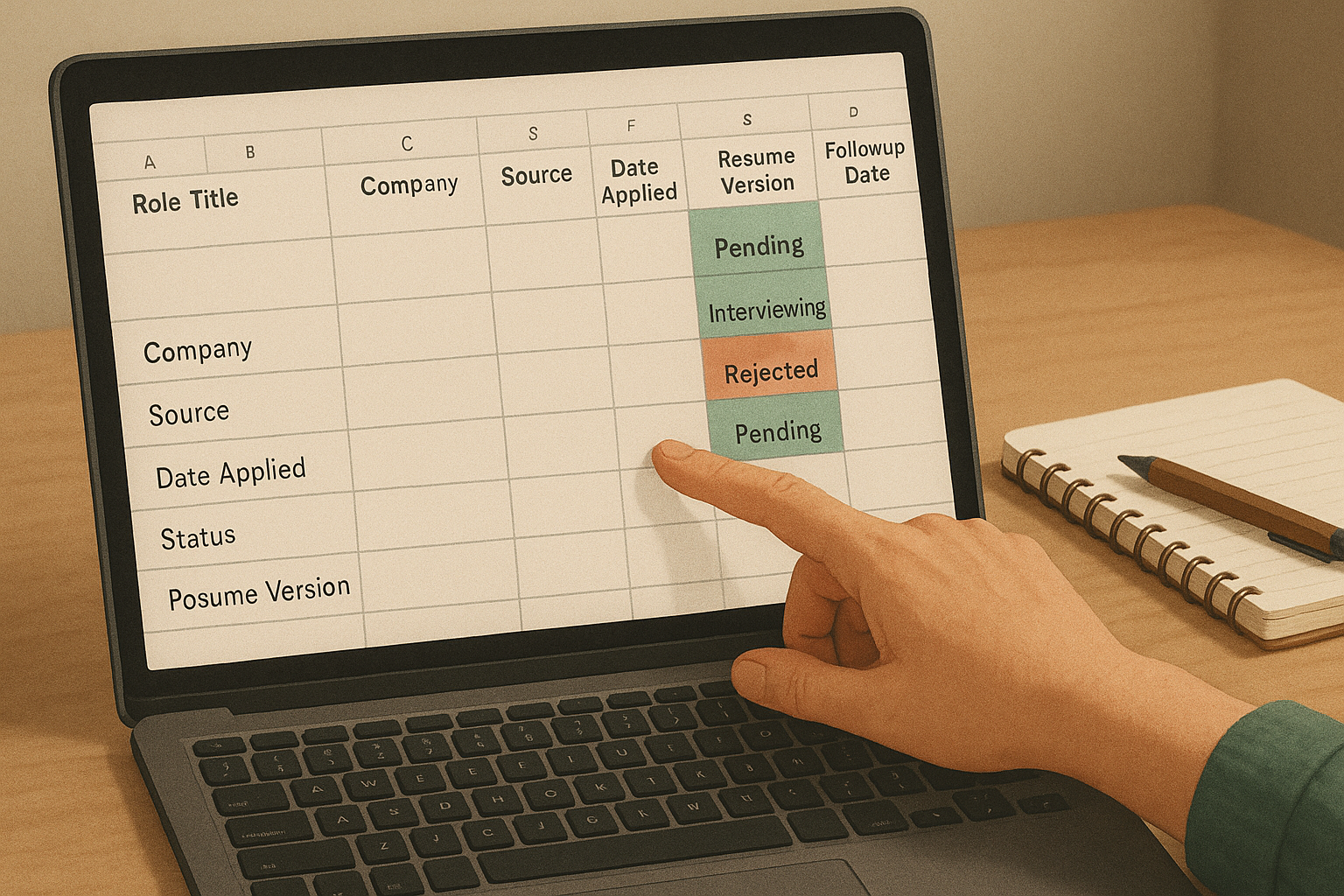 A lightweight tracker works best when every application has a status, date, and next action.
 Using one source of truth prevents missed deadlines, duplicate applications, and forgotten follow-ups.